







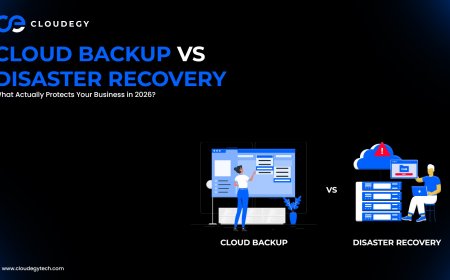







Cloud Backup vs Disaster Recovery: What Actually Protects Your Business in 2026?
Confused between cloud backup and disaster recovery? Learn real differences, use cases, and which solution truly protects your business in 2026.

Most businesses think they are “safe” because they have backups.
But here’s the reality:
👉 Backup alone doesn’t guarantee recovery
👉 And recovery is what actually saves your business
This is where confusion begins between cloud backup and disaster recovery.
They sound similar.
They are often used interchangeably.
But in practice, they solve very different problems.
☁️ The Simple Truth (No Technical Confusion)
Let’s break it down in the simplest way:
- Cloud Backup = Saving your data
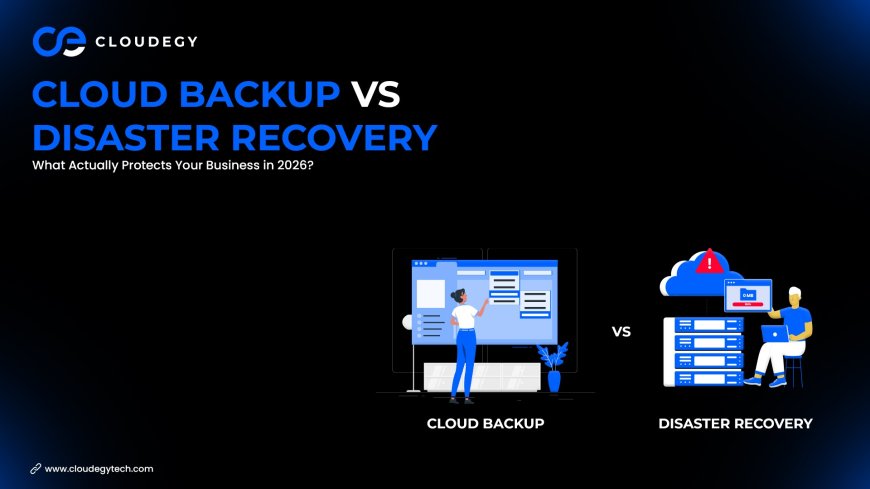
- Disaster Recovery = Restoring your entire system
👉 One protects files
👉 The other protects your business operations
💾 What is Cloud Backup?
Cloud backup is the process of copying and storing your data in a secure cloud environment.
It ensures that your files are not lost permanently if something goes wrong.
💡 What It Actually Does
- Stores copies of your data
- Keeps versions of files
- Allows recovery of specific files
🧠 Real Scenario
You accidentally delete important files.
👉 Backup helps you restore them
✅ Where Cloud Backup Works Best
- File recovery
- Data protection
- Accidental deletion
- Basic security
⚠️ Where It Falls Short
Backup does NOT restore:
- Your full system
- Your applications
- Your infrastructure
👉 It only restores data—not operations
🔄 What is Disaster Recovery?
Disaster recovery is a complete plan and system designed to restore your entire IT environment after a failure.
💡 What It Actually Does
- Recovers servers
- Restores applications
- Rebuilds systems
- Minimizes downtime
🧠 Real Scenario
Your server crashes during peak traffic.
👉 Disaster recovery brings your system back online
✅ Where Disaster Recovery Works Best
- Server failure
- Cyberattacks
- System crashes
- Business continuity
⚠️ The Reality
Disaster recovery is not just a tool.
👉 It’s a strategy
🔍 The Real Difference
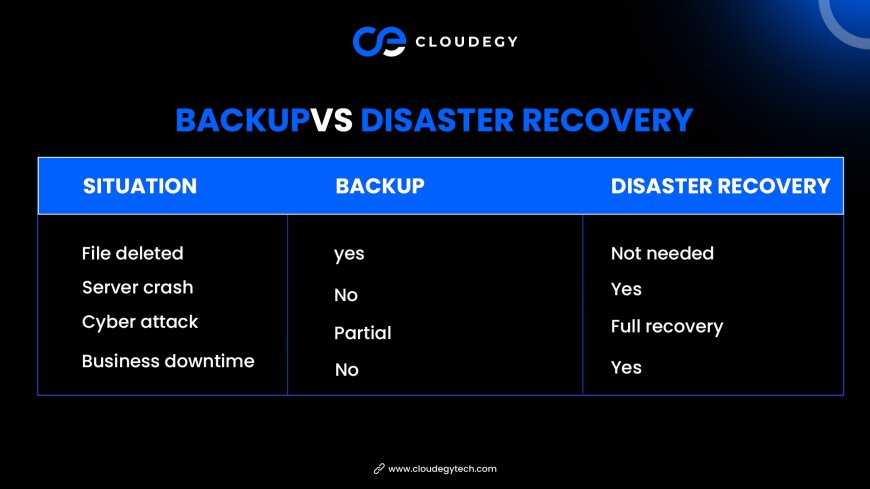
👉 Backup saves data
👉 Recovery saves business
⚡ Why Most Businesses Get This Wrong
The biggest mistake:
👉 “We have backup, so we’re safe”
That’s dangerous thinking.
Because during a real failure:
- Backup gives you files
- But your system is still down
👉 And downtime = lost revenue
🧠 Real-World Example
Imagine this:
Your website crashes during a sale.
- Backup → You have your data
- Disaster Recovery → Your website is live again quickly
👉 Which one actually saves you money?
🚀 When You Need Cloud Backup
Use backup if you want:
- Protection from data loss
- File recovery
- Version history
- Basic safety
👉 Minimum requirement for every business
🚀 When You Need Disaster Recovery
Use disaster recovery if you want:
- Business continuity
- Minimal downtime
- System-level recovery
- Operational stability
👉 Critical for serious businesses
🔄 The Smart Approach (What Experts Do)
Smart businesses don’t choose one.
👉 They use both
Ideal Setup:
- Backup → Protect data
- Disaster Recovery → Protect operations
👉 Together = Complete protection
🛡️ Best Practices
🔐 1. Don’t Rely Only on Backup
Backup is not enough for critical systems
⚙️ 2. Test Recovery Plans
If you can’t recover fast, your system is weak
🔄 3. Automate Backups
Manual backup = risk
📊 4. Monitor Downtime Risk
Know how much downtime you can afford
💰 5. Plan Based on Business Impact
Not all systems need the same level of recovery
⚠️ Common Mistakes
❌ Thinking backup = full protection
❌ Ignoring downtime cost
❌ No recovery testing
❌ Choosing cheap solutions over reliable ones
👉 These mistakes cost more later
🔮 Future of Data Protection
In 2026 and beyond:
- Backup is becoming automated
- Disaster recovery is becoming faster
- AI is predicting failures before they happen
👉 Protection is shifting from reactive → proactive
🏁 Conclusion
Cloud backup and disaster recovery are not competitors.
They solve different problems:
- Backup protects your data
- Disaster recovery protects your business
👉 If your business depends on uptime,
backup alone is not enough
👉 The real protection comes from combining both
What's Your Reaction?
 Like
0
Like
0
 Dislike
0
Dislike
0
 Love
0
Love
0
 Funny
0
Funny
0
 Angry
0
Angry
0
 Sad
0
Sad
0
 Wow
0
Wow
0