



What is Cloud Computing? Complete Beginner Guide
In today’s digital world, technology is evolving rapidly, and businesses are moving away from traditional systems toward more flexible and scalable solutions. One of the most important technologies powering this transformation is cloud computing.

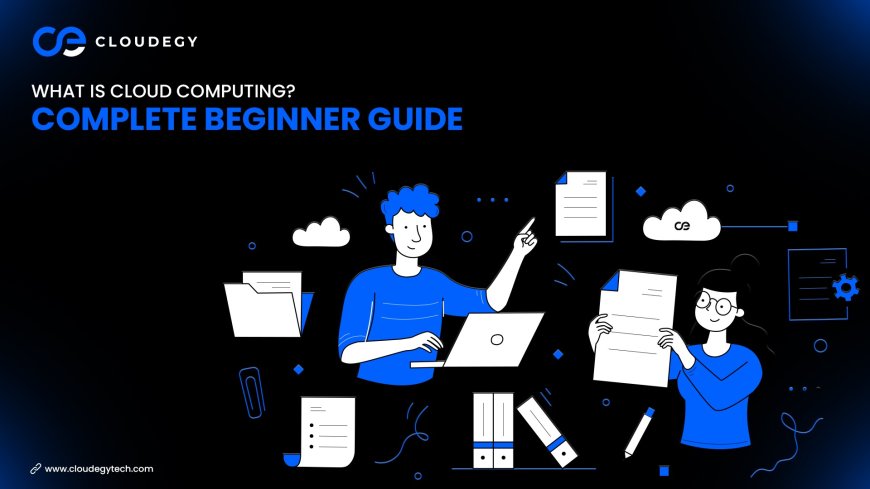
Cloud computing allows individuals and businesses to store data, run applications, and access computing resources through the internet instead of relying on local machines or physical servers.
Whether you are using online storage, streaming services, or collaboration tools, you are already interacting with cloud computing in your daily life.
In this beginner-friendly guide, we will explain what cloud computing is, how it works, its different types, and why it has become essential for modern businesses.
What is Cloud Computing?
Cloud computing is a technology that delivers computing services such as servers, storage, databases, networking, and software over the internet.
Instead of storing files or running programs on a local computer or company server, cloud computing allows users to access these resources online.
This means businesses and individuals can use powerful computing infrastructure without needing to buy or maintain expensive hardware.
Cloud computing platforms host their services in large data centers that store and process data securely while making it accessible from anywhere in the world.
How Cloud Computing Works
Cloud computing works by using a network of remote servers hosted on the internet. These servers store data and run applications that users can access through web browsers, mobile apps, or specialized software.
Here is a simplified process of how cloud computing works:
1. Data Storage in Cloud Servers
When users upload files or data, the information is stored in secure data centers maintained by cloud providers.
These data centers contain powerful servers designed to handle large volumes of data efficiently.
2. Internet-Based Access
Once data is stored in the cloud, users can access it through the internet using authorized devices such as computers, smartphones, or tablets.
This allows users to retrieve files or run applications from virtually anywhere.
3. Resource Allocation
Cloud systems dynamically allocate resources depending on demand. If more computing power or storage is required, the system automatically scales up.
This flexibility makes cloud computing ideal for businesses experiencing rapid growth.
4. Security and Backup
Cloud providers implement advanced security measures such as encryption, firewalls, and backup systems to protect data from unauthorized access or loss.
These features ensure that files remain secure and accessible at all times.
Types of Cloud Computing
Cloud computing services are generally categorized into three main types.
1. Infrastructure as a Service (IaaS)
IaaS provides virtualized computing resources such as servers, storage, and networking over the internet.
Businesses can rent infrastructure instead of purchasing physical hardware.
This model is commonly used by companies that need flexible computing resources for applications and data storage.
2. Platform as a Service (PaaS)
PaaS provides a development platform that allows developers to build, test, and deploy applications without managing the underlying infrastructure.
It includes tools and frameworks that simplify the software development process.
3. Software as a Service (SaaS)
SaaS delivers software applications over the internet. Instead of installing programs on individual computers, users can access them through web browsers.
Common examples include email services, collaboration tools, and online productivity platforms.
Types of Cloud Deployment Models
Cloud computing also includes different deployment models depending on how the infrastructure is managed.
Public Cloud
Public cloud services are operated by third-party providers and shared by multiple organizations. They are cost-effective and widely used for general applications.
Private Cloud
Private cloud infrastructure is dedicated to a single organization. It provides greater control and security, making it suitable for businesses handling sensitive data.
Hybrid Cloud
Hybrid cloud combines public and private cloud systems. This allows organizations to store sensitive data privately while using public cloud resources for scalability.
Benefits of Cloud Computing
Cloud computing offers several advantages for businesses and individuals.
Cost Efficiency
Businesses no longer need to invest in expensive hardware or maintain physical infrastructure. Cloud providers manage servers and systems, reducing operational costs.
Scalability
Cloud resources can be increased or decreased depending on business needs. This flexibility allows organizations to adapt quickly to changing demands.
Accessibility
Files and applications stored in the cloud can be accessed from any location with an internet connection, making remote work easier.
Data Security
Modern cloud platforms use advanced security technologies such as encryption, authentication systems, and automated backups.
Collaboration
Cloud platforms enable teams to collaborate in real time by sharing documents and working on projects together from different locations.
Real-Life Examples of Cloud Computing
Cloud computing powers many everyday digital services, including:
Online file storage platforms
Video streaming services
Business collaboration tools
Email platforms
Online data backup systems
These services allow users to store and access data without managing physical infrastructure.
Why Businesses Are Moving to the Cloud
Companies across industries are adopting cloud technology because it offers flexibility and efficiency.
By moving to cloud systems, businesses can:
• Reduce IT infrastructure costs
• Improve data accessibility
• Support remote teams
• Scale operations quickly
• Protect data through secure backups
These advantages make cloud computing a critical part of digital transformation.
Future of Cloud Computing
Cloud computing continues to evolve with advancements in artificial intelligence, automation, and cybersecurity.
Emerging trends in cloud technology include:
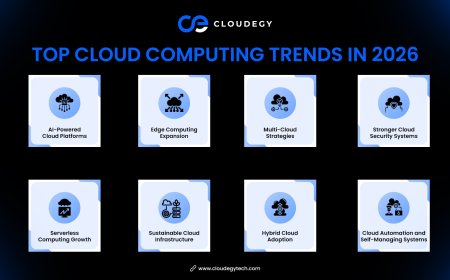
AI-powered cloud platforms
Edge computing systems
Improved cloud security solutions
Decentralized cloud infrastructure
As businesses rely more on digital systems, cloud computing will continue to play a major role in shaping the future of technology.
Conclusion
Cloud computing has transformed the way businesses and individuals manage data and applications. By providing scalable infrastructure, secure storage, and remote accessibility, cloud technology offers a powerful alternative to traditional IT systems.
For beginners, understanding cloud computing is essential in today’s technology-driven world. Whether you are running a startup, managing a business, or simply storing personal files, cloud computing provides the flexibility and efficiency needed to operate in a modern digital environment.
What's Your Reaction?
 Like
0
Like
0
 Dislike
0
Dislike
0
 Love
0
Love
0
 Funny
0
Funny
0
 Angry
0
Angry
0
 Sad
0
Sad
0
 Wow
0
Wow
0